
Planning tool for teachersFewer puzzles.
More teaching.
Find calm in your planning and flow in your classroom.
- Add your timetableOnce per term
- Outline the termWeek by week, per group
- Lessons fill in automaticallyIn the week view, your calendar and Live
Change something in one place and it updates everywhere — in the weekly calendar, your Google or Outlook calendar and on the board in Live.
All features free for 14 days · No card · Continues on Free afterwards
The video is in Swedish, with Swedish subtitles.
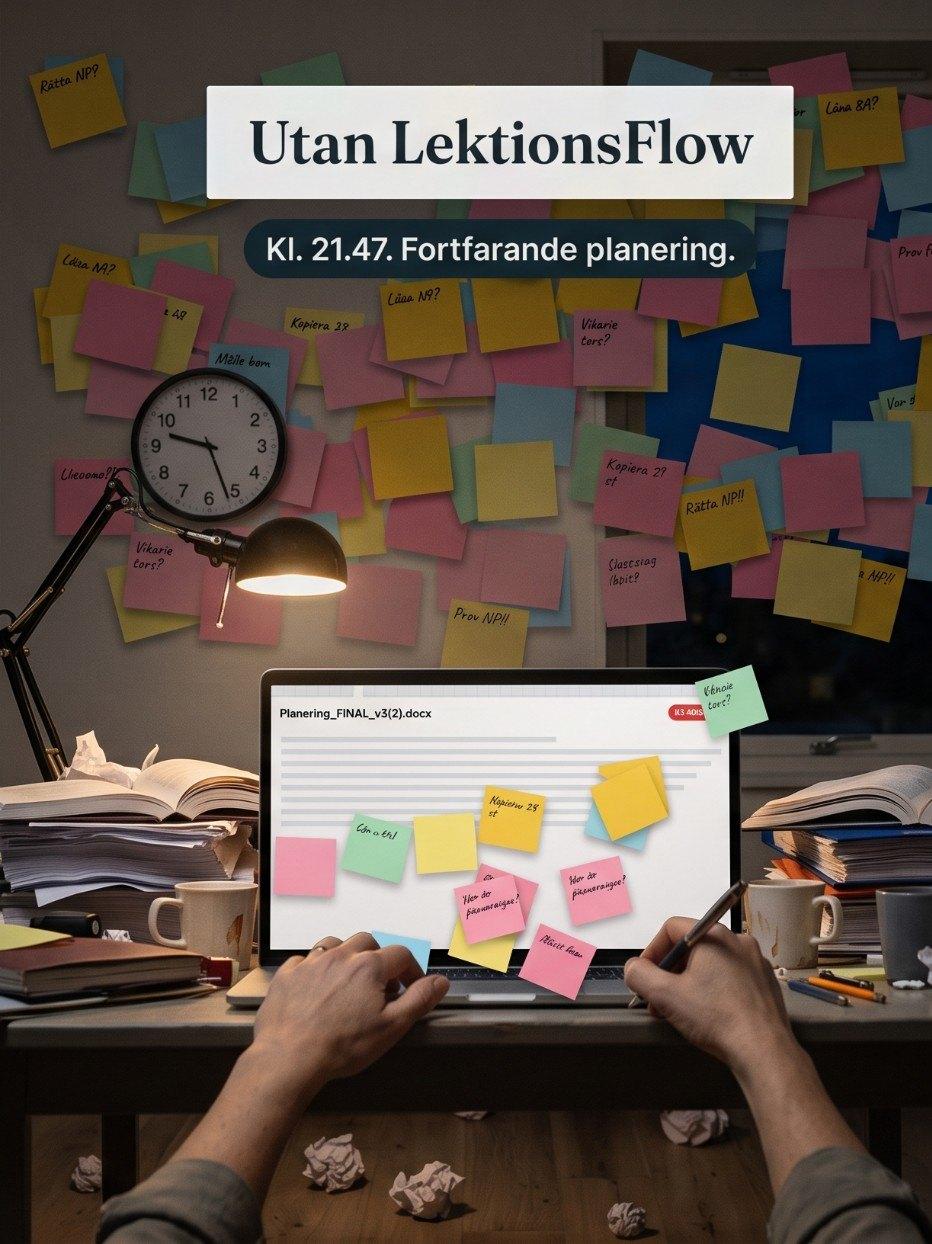
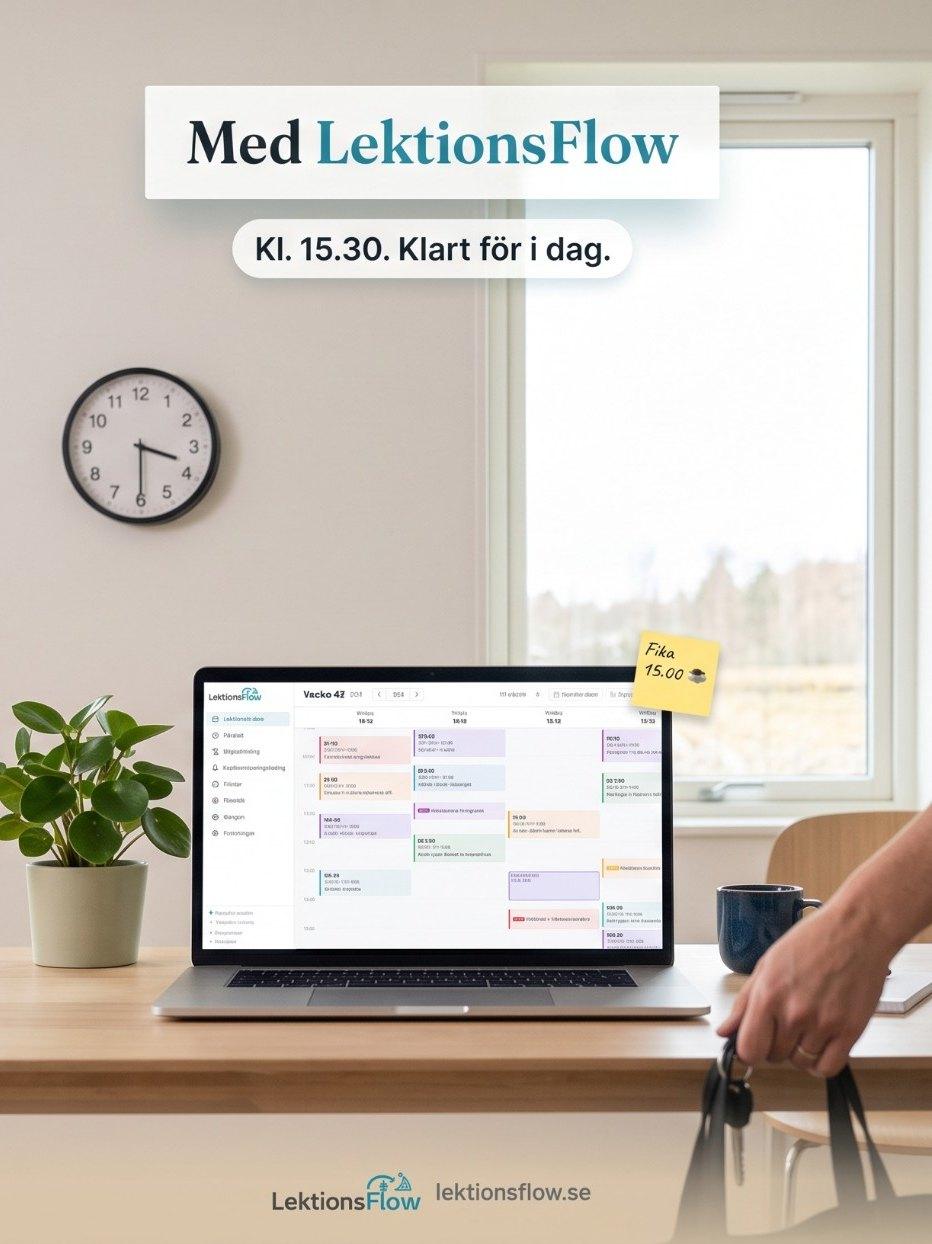
From 40 tabs to one view
Timetable, planning, calendar, email and sticky notes – LektionsFlow brings it all together and handles what can be automated. You get time back for what matters: your students.
Plan once. Teach with flow.
You spend a little time at the start on your timetable and term plan. After that you save time every week, because LektionsFlow fills in the rest for you.
- 1
Enter your timetable
Add groups, times and rooms once. LektionsFlow creates every lesson for the whole school year — no weekends, with public holidays already in place. Add your school breaks and those weeks are skipped automatically.
- 2
Plan the term
Write what happens week by week. The content lands on the right lesson straight away — you never write the same thing twice.
- 3
Teach — everything is already there
The weekly calendar, your regular calendar, the Live board and substitute plans all pull from the same planning. Just open and go.
One lesson — one source
Sv 8A · Mon 09:30 · The short story
- Term plan
- Weekly calendar
- Units
- Google / Outlook
- Live board
- Substitute plans
- Student view
Term plan, weekly calendar and units update each other both ways. Changes are sent to Google and Outlook automatically — LektionsFlow is the source and your regular calendar a mirror.
Change it once — updated everywhere
Edit a lesson in the term plan and it shows up in the weekly calendar right away, and vice versa. The same content follows to the student view and substitute plans.
Your calendar keeps itself up to date
Connect Google Calendar or Outlook and every change is sent there automatically. You never enter lessons by hand.
Lesson cancelled? The plan moves forward
Cancel a lesson for illness or a training day and the content can automatically shift to the next lesson — no re-planning.
Live opens ready to go
Group name, lesson time, student list and today’s content are already on the board when you start. Nothing to prepare in the classroom.
Up and running in 2 minutes
School year, groups, timetable, long-term plan and students — see the whole way from an empty account to a finished plan. After that, your lessons are created automatically.
The video is in Swedish, with Swedish subtitles
Rather click around yourself?
A small, simplified demo with no account. It only shows a few simple features – the term plan, the week and the Live board – not everything in LektionsFlow.
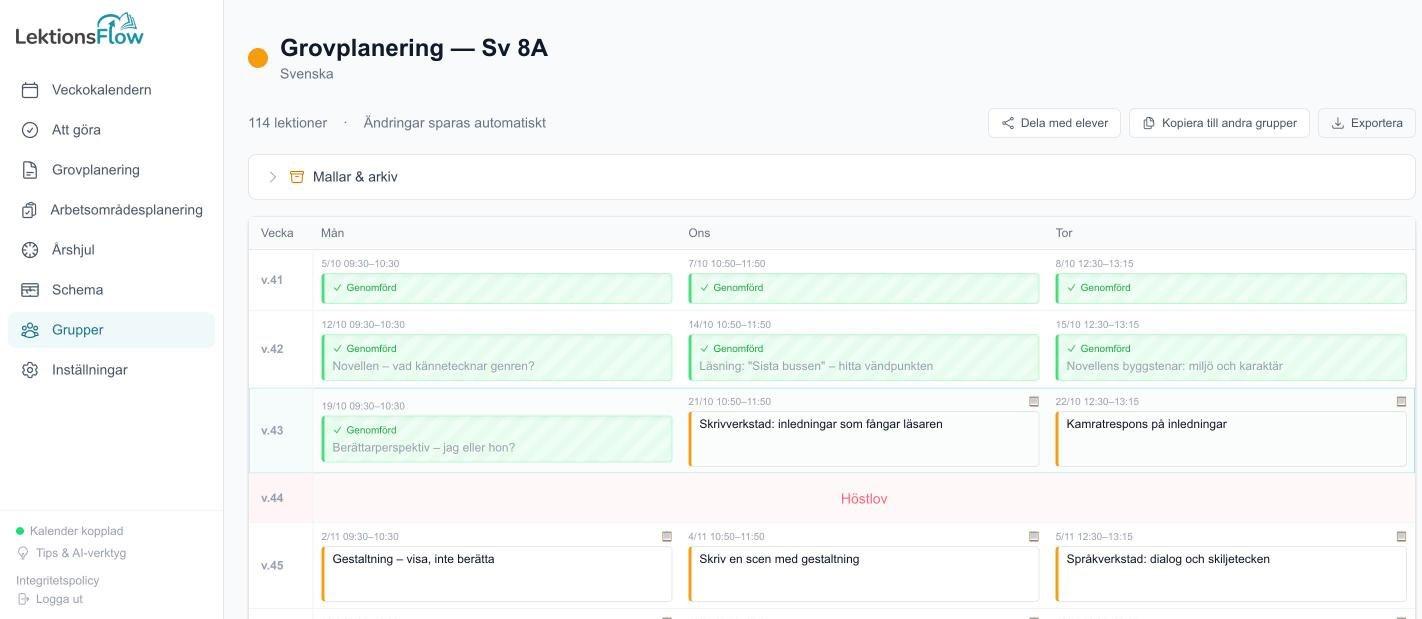
Plan the term — week by week
Spread units across the weeks of the term. Holidays are already in place, and the plan follows through to every lesson. Share it with students via a link.
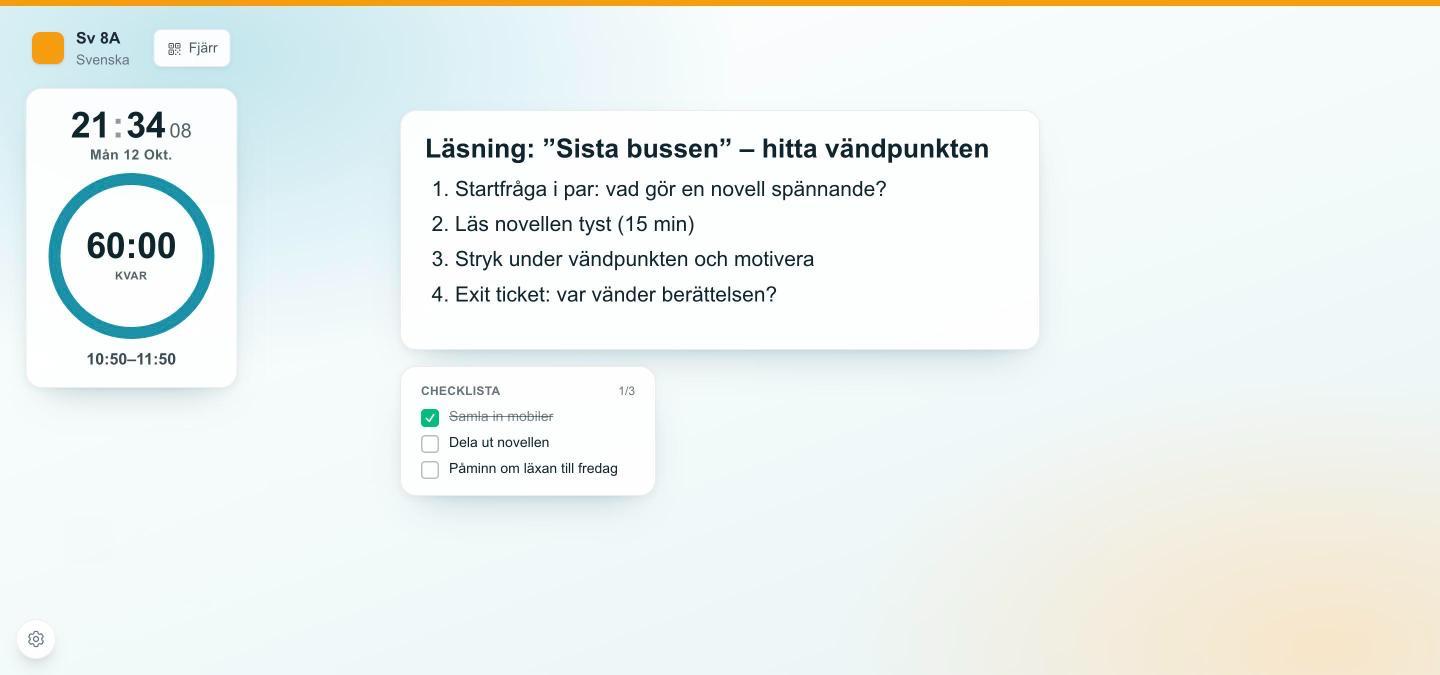
Live in the classroom
When you open Live, everything is already in place: the group, the lesson time with a countdown, the student list and the lesson content from your planning. Run polls, quizzes, exit tickets, presentations, random groups and seven questions — students answer anonymously via QR code, no accounts.
Substitute plans in minutes
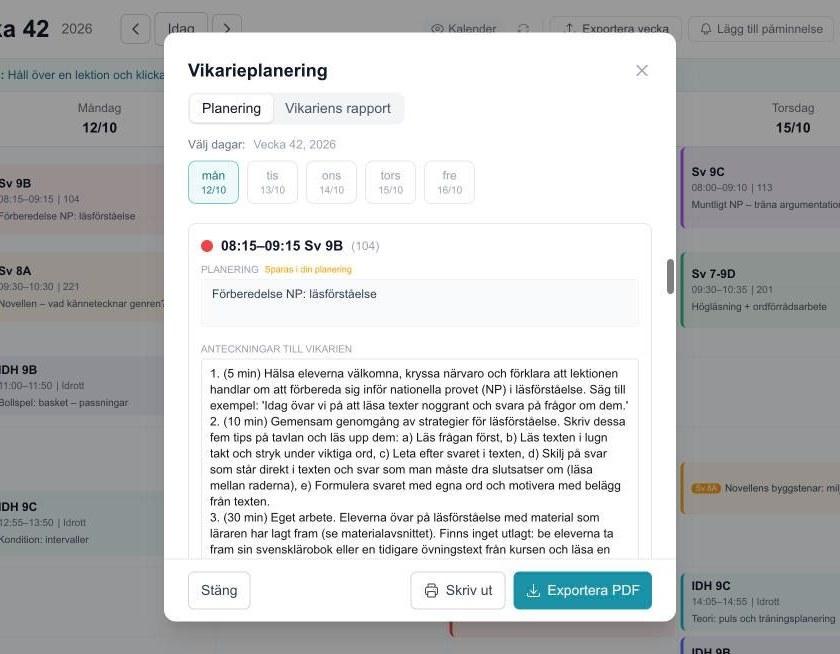
Off sick tomorrow? Pick the days and AI writes clear instructions for the substitute based on your planning — minute by minute. The printout includes a QR code: the substitute scans it with their phone and answers three quick questions per lesson, no account needed. You get a report on how far the class got, how calm it was and what needs follow-up.
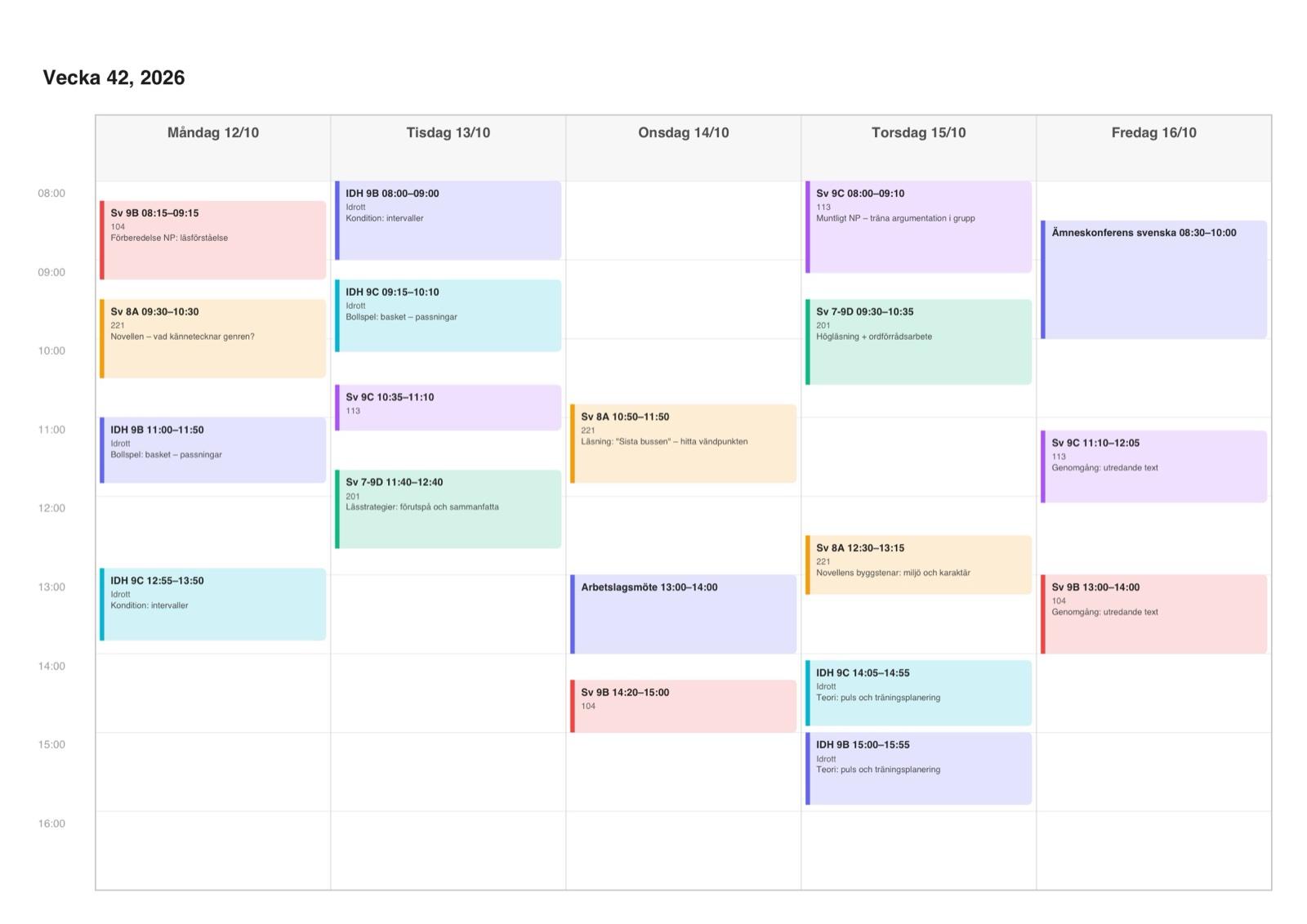
Prefer paper? Print your week
Not everyone plans best on a screen. Print the week as a PDF or straight to the printer – with lessons, rooms and content from your planning. You get a clean template to write on, and if your plans change you simply print again.
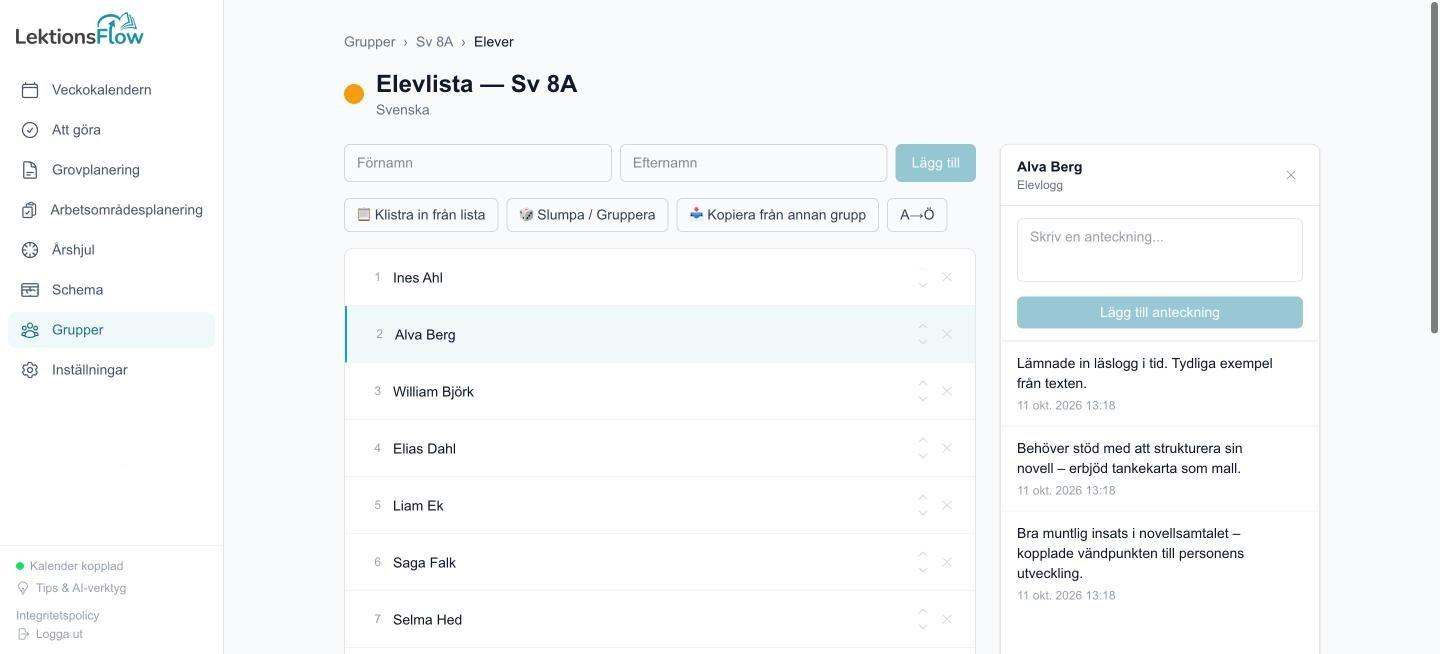
Student log — notes that stay
Write short notes about each student straight from the student list or during a Live lesson. Everything is saved with a date, so you have material for parent meetings and assessment.
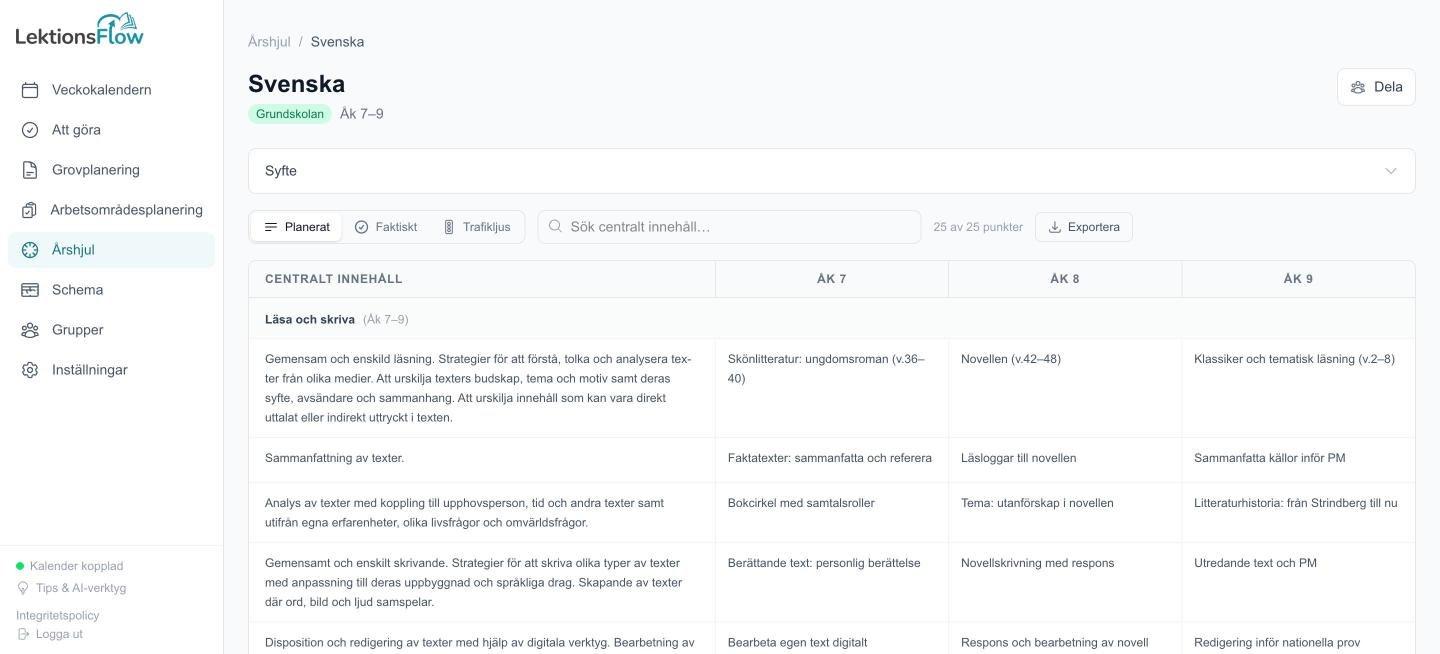
Year wheel: the national curriculum
See which core content you cover in each year. Link units to the syllabus and spot gaps before the school year ends.
Also included
Small things that save time every day.
Share the plan with students
One link gives students their own view of the term plan — always up to date, no login.
Seating plans
Draw the classroom, shuffle or drag students to seats and print as PDF.
Sound meter
Show the classroom noise level on the board when you need a calm room.
Daily schedule
Show today’s lessons and times to the class on the projector.
Your own calendar events
Add meetings and reminders next to your lessons — they sync to your calendar.
Backup
Automatic weekly backup to Google Drive or OneDrive.
PDF export
Print or share the week, substitute plans and seating plans as PDF.
Templates and archive
Save this term’s plan and reuse it next year or in another group.
To-do
Collect follow-ups from substitutes and your own reminders in one place.
More time – and better lessons
Pick the tasks that take time for you today. The calculator estimates how much time you get back per term. And the gain doesn't stop at time.
What takes time today
Untick what doesn't apply and drag to roughly how many minutes it takes each week.
- 20 min/wk
- 15 min/wk
- 5 min/wk
- 10 min/wk
- 10 min/wk
- 5 min/wk
Substitute plansLektionsFlow writes the instructions from your planning. You read them through and print.
Time back
23
hours per term
That is about 3 working days.
Better teaching
- A clear thread from syllabus to lesson
- Students know the goals and where you're heading
- Control of the core content
- More time and energy for your students
An estimate based on your own numbers, with 20 teaching weeks per term – not a promise. How much you save depends on how you work today.
Choose the plan that suits you
Start for free. Upgrade when you're ready.
Launch offer until June 30, 2027
Start by June 30, 2027 and get Pro for 49 SEK/mo incl. VAT or Premium for 79 SEK/mo incl. VAT — and keep that price for as long as your subscription runs.
Free
14-day trial with all features, including Premium.
- Weekly calendar and schedule
- Rough planning
- Up to 3 groups
- 1 calendar integration
- Live board with 3 themes
- Live poll and randomizer
- Share the term plan with students
Included AI tools
quiz 3/mo, planning 2/mo, presentation 1/mo, timetable import 2/mo
Pro
Then 99 SEK/mo incl. VAT for new customers
For teachers who want more.
- Everything in Free
- Unlimited groups
- All 13 Live themes + backgrounds
- Exit tickets, Quiz and Seven questions
- Year wheel with core content
- Seating charts
- Custom calendar events + dual sync
- Backup to Google Drive / OneDrive
- PDF export (weekly + seating)
- Rough plan archive
- Sound meter and daily schedule
Included AI tools
quiz 25/mo, planning 12/mo, presentation 6/mo, timetable import 5/mo
Premium
Then 149 SEK/mo incl. VAT for new customers
Everything you need.
- Everything in Pro
- Custom background image in Live
- Remote control (clicker)
- Hook overlay and momentum marker
- AI substitute planner (unlimited)
- Priority support
Included AI tools
quiz 50/mo, planning 20/mo, presentation 12/mo, timetable import 10/mo
All prices include VAT.
Trial without a card
New accounts get every feature, including Premium, for 14 days. No card details needed. After the trial the account continues on Free: nothing is lost, but Pro and Premium features are locked until you upgrade.
No data is lost
If you change plan or go back to Free, all your planning stays. Pro features are simply locked.
How to upgrade
Pay by card straight away — your plan is activated within a minute. You can switch plan or cancel at any time under Settings.
Schools and municipalities
One licence for every teacher, from 390 SEK per teacher per year excl. VAT — with a data processing agreement and invoicing.
Built for schools — from day one
GDPR-compliant, data-minimized and transparent
Data stored in EU
Database in Stockholm (Supabase), hosting in Frankfurt (Vercel). The only things that leave the EU are optional: AI features (Anthropic, USA) and calendar sync (Google/Microsoft) — protected by EU Standard Contractual Clauses.
DPA ready to sign
We sign your template DPA. Complete subcontractor list, DPIA and TIA included.
Students are anonymous
Students never need to log in or give their name. Live features work completely anonymously.
No ad tracking
No advertising cookies, no third-party trackers, no Google Analytics. Our anonymous visitor statistics (PostHog, EU) store nothing in your browser.
Full data portability
Teachers can export all their data to Google Drive or OneDrive at any time. No lock-in.
Right to deletion
Teachers can delete their account and all data with one click. The data is removed at once and disappears from backups within 30 days.
How your information is protected
- No passwords stored
- You sign in with your Google or Microsoft account. LektionsFlow never stores any passwords.
- Only you see your planning
- Access rules in the database itself (Row Level Security) mean an account can only read and change its own data, not just hide it in the interface.
- Encrypted all the way
- All traffic is encrypted (HTTPS), and the database and backups are encrypted at rest.
- Student data stays in the service
- Student data is never used for marketing, never sold and never used to train AI models.
GDPR checklist
Transparency about what we fulfill today and what is planned.
GDPR-checklista
- Database and hosting in the EU
- DPA available
- Data Protection Impact Assessment (DPIA)
- Subcontractor list
- Transfer Impact Assessment (TIA)
- Incident handling procedure
- Data export / portability
- Right to deletion
- No ad tracking or analytics cookies
- Tokens protected in isolated database schema
- All database functions hardened with search_path protection
- Anonymous board viewing — no sensitive fields exposed
- Automatic anonymization of student data (90/180 days)
- ...SSO via Active Directory(planned)
For the IT department
- Complete documentation: DPA, DPIA, subcontractor list, TIA, incident procedure
- Calendar tokens in an isolated database schema
- Row Level Security on every table limits each teacher to their own data
- Automatic data cleanup of old Live sessions (90/180 days)
- Data export: teachers can download all their data as JSON
- SSO-ready: planned support for Active Directory (SAML/OIDC)
- search_path injection protection in all SECURITY DEFINER functions
- Anonymous board table without user_id or access_token
Representerar du en kommun och vill använda ert eget standardavtal? Inga problem — kontakta oss på info@lektionsflow.se så löser vi det.
See which sub-processors we useOm LektionsFlow
The idea for LektionsFlow was born in a quiet classroom late one Tuesday afternoon. After yet another day of juggling, I realised that far too much time went into everything around the actual teaching, and that all the browser tabs mostly got in the way.
So I built LektionsFlow: a bridge between the desk and the classroom, where your planning follows you all the way into the lesson.
Who is behind LektionsFlow?
My name is Oskar Edlund. I am a qualified teacher and a lead teacher (förstelärare). I teach Swedish and physical education in compulsory school and have worked as a teacher for more than ten years.
I use LektionsFlow in my own teaching every week, and most of what the tool does today exists because I or a colleague needed it.
Feel free to get in touch with thoughts and ideas. I read and answer every message myself at info@lektionsflow.se.
LektionsFlow is run by LektionsFlow AB. All data is stored within the EU and is never sold.
Oskar Edlund, teacher and founder
Vanliga frågor
Svar på det du behöver veta innan du börjar.
Är LektionsFlow gratis?
Yes. The free plan includes the weekly calendar, rough planning, Live mode and a small number of AI generations per month. Pro and Premium give you more AI generations, all themes, PDF export and much more.
Behöver eleverna skapa egna konton?
No. Students join anonymously via QR code or PIN in Live mode — no login and no student accounts. If you want to use student names, for example in seating plans, we recommend initials until your school has signed a data processing agreement.
Var lagras all data?
The database is in Stockholm and hosting is in Frankfurt. Data is encrypted at rest and in transit, and Row Level Security ensures no one can see anyone else's data. Optional AI features are processed by Anthropic in the USA — personal ID numbers, email addresses and phone numbers are filtered out before the request.
Kan jag synka med min vanliga kalender?
Ja! LektionsFlow synkar med både Google Kalender och Microsoft Outlook. Dina möten och händelser visas direkt i veckovyn.
Kan vår skola eller kommun köpa på faktura?
Absolut! Vi erbjuder skollicenser med valfritt antal platser och fakturering. Kontakta oss på info@lektionsflow.se så löser vi det.
Finns det färdiga PUB-avtal?
Ja. Vi har en färdig PUB-avtalsmall redo att signera. Representerar du en kommun som vill använda ert eget standardavtal? Inga problem — kontakta oss så löser vi det.
Why can't I record assessments for my students?
It would mean doing the work twice. Grades and assessments need to be in your school's learning platform anyway, so we recommend entering them there directly. LektionsFlow focuses on planning and lessons, and stores as little student data as possible.
Ready to try?
Create a free account. No commitment, no hidden costs.
Questions? Contact us: info@lektionsflow.se